


Drone technology has revolutionized the way industries collect geographical data. From construction and agriculture to environmental research and emergency response, mapping with a drone provides fast, accurate, and cost-effective insights. Whether you are a beginner or a professional surveyor, understanding the detailed workflow behind drone mapping ensures accurate outputs and safe flight operations.
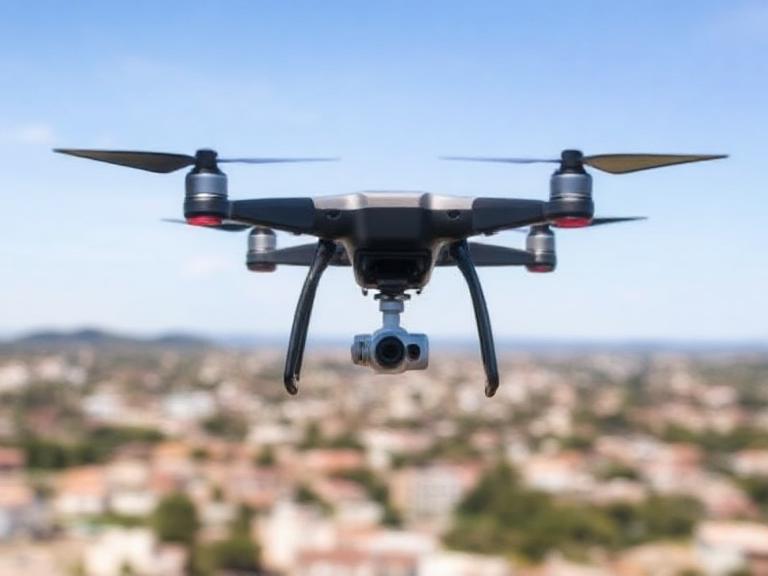
Table of Contents
- What Is Drone Mapping?
- Benefits of Mapping With a Drone
- How Drone Mapping Works
- Step-by-Step Process of Mapping With a Drone
- Essential Equipment for Drone Mapping
- Best Software for Drone Mapping
- Industry Applications of Drone Mapping
- Company Spotlight: ChinaMoneypro UAV
- Drone Mapping Summary Table
- FAQs
- References
What Is Drone Mapping?
Drone mapping is the process of capturing aerial images using unmanned aerial vehicles (UAVs) and converting them into 2D maps, 3D models, and actionable datasets. By flying a controlled flight path, the drone captures hundreds or thousands of overlapping images that software later stitches into georeferenced maps. Today, mapping with a drone is the gold standard for cost-effective, high-resolution site surveying.
Benefits of Mapping With a Drone
- High accuracy and real-time geospatial data
- Lower cost compared to traditional land surveys
- Safer data capture in hazardous or hard-to-reach areas
- Fast completion for large-scale projects
- Integration with GIS and CAD software
How Drone Mapping Works
Mapping with a drone relies on three core components: the UAV platform, onboard sensors (primarily cameras), and photogrammetry software. The sensor captures overlapping imagery—usually 70%–90% front and side overlap. These images are then reconstructed using advanced algorithms to create outputs such as orthomosaics, DEM/DTM, 3D point clouds, contour maps, plant health indexes, and volumetric data.
Key Principles
- Overlap: Ensures proper stitching accuracy.
- Ground Control Points (GCPs): Increase georeferencing precision.
- Flight Altitude: Determines ground sampling distance (GSD).
- Camera Calibration: Reduces distortion and improves model accuracy.
Step-by-Step Process of Mapping With a Drone
1. Define Your Mapping Objective
Before launching the drone, clarify whether you need a 2D map, 3D model, volumetric measurement, vegetation index, or inspection data.
2. Select the Right Drone
For professional mapping with a drone, choosing a stable, sensor-integrated UAV is crucial. Multi-rotor drones are ideal for small and complex areas, while fixed-wing VTOL drones excel in large-scale mapping missions.
3. Plan the Flight Path
Use mission planning software to define:
- Area boundaries
- Altitude
- Speed
- Overlap settings
- Flight orientation (nadir/oblique)
4. Conduct Pre-Flight Checks
Ensure the following:
- Fully charged batteries
- Correct SD card storage
- Stable weather conditions
- Updated firmware
- Calibration of compass and IMU
5. Execute the Autonomous Flight
Once launched, the drone flies along the programmed grid pattern, capturing overlapping imagery automatically.
6. Import Images Into Photogrammetry Software
Images are processed to create geospatial outputs using photogrammetric algorithms. Add optional GCPs for enhanced accuracy.
7. Analyze, Export, and Use the Mapping Output
Popular output formats include:
- Orthomosaic (GeoTIFF)
- DSM/DTM
- 3D point cloud
- Contours
- Volumetric reports
Essential Equipment for Drone Mapping
- High-resolution camera drone
- GPS RTK/PPK modules
- Extra batteries
- Ground Control Points
- Mission planning device
Best Software for Mapping With a Drone
- Pix4D Mapper
- DroneDeploy
- Agisoft Metashape
- DJI Terra
- QGIS (for further GIS analysis)
Industry Applications of Drone Mapping
Construction & Engineering
Companies rely on mapping with a drone for site progress tracking, volumetric analysis, and infrastructure planning.
Agriculture & Forestry
NDVI and multispectral mapping help farmers optimize crop health and improve yield forecasts.
Mining & Quarrying
Drone mapping provides accurate 3D models for volumetric measurements and safety inspections.
Environmental Monitoring
Drones assist in coastal mapping, flood modeling, erosion tracking, and wildlife habitat assessment.
Emergency Response
Drone mapping supports search-and-rescue operations and post-disaster assessment.
Company Spotlight: ChinaMoneypro UAV
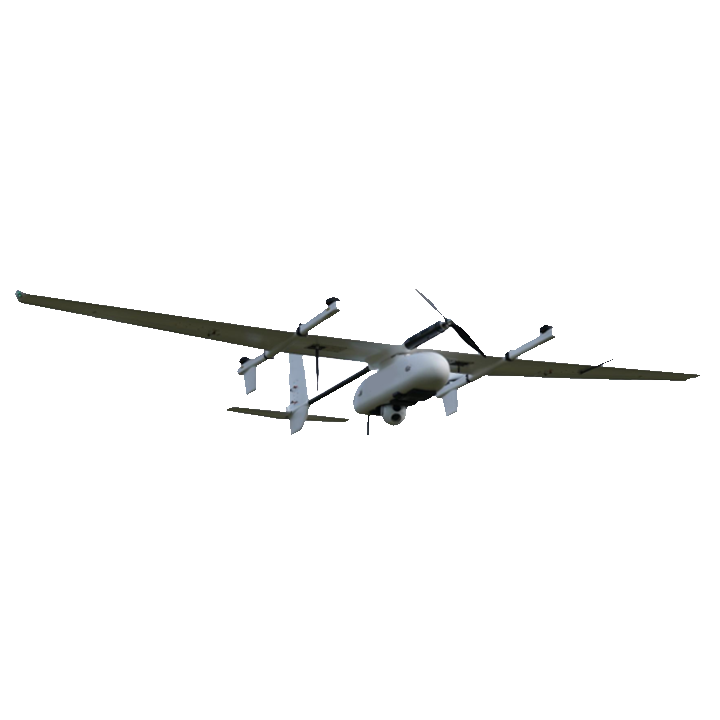
ChinaMoneypro UAV is a national-level high-tech enterprise evolved from a state-owned research institute. Renowned for defense-grade engineering, the company focuses on manufacturing fully integrated unmanned platforms and sensing-communication systems. With comprehensive capabilities spanning UAVs, engines, gimbals, data links, radars, and communication modules, ChinaMoneypro stands among the few full-stack UAV system providers in the industry.
Products Offered
For organizations seeking powerful solutions for mapping with a drone, ChinaMoneypro UAV provides industrial-grade systems suitable for precision surveys, long-range mapping, and multi-sensor integration.
Drone Mapping Summary Table
| Step | Description |
|---|---|
| Objective Setting | Determine mapping purpose (2D, 3D, NDVI, etc.) |
| Drone Selection | Choose multi-rotor or fixed-wing based on area size |
| Flight Planning | Configure altitude, overlap, speed, and boundaries |
| Image Capture | Perform autonomous flight for data collection |
| Data Processing | Use photogrammetry software to generate maps/models |
| Output Analysis | Export orthomosaics, DSMs, 3D models, or reports |
FAQs
1. Is drone mapping legal?
Yes, but operators must follow aviation authority regulations, including commercial flight certification and airspace compliance.
2. Can beginners perform mapping with a drone?
Absolutely. Many drones and software solutions are designed for beginners, though professional surveys require training.
3. How accurate is drone mapping?
With RTK/PPK systems and GCPs, accuracy can reach 1–3 cm.
4. How long does it take to process drone maps?
Processing time ranges from minutes to several hours depending on image count and computer hardware.
5. What altitude is best for drone mapping?
Most surveys are performed between 60–120 meters depending on required GSD.
References
- UAV Photogrammetry Standards – ISPRS
- Aerial Mapping Guidelines – ASPRS